

The National Incident-Based Reporting System is the national standard for crime reporting in the United States. The FBI collects and maintains this data and, as of 2024, law enforcement agencies representing over 80% of the country report their data to NIBRS.
NIBRS contains a vast trove of data useful to journalists. It collects data in two groups: Group A crimes include 52 serious offense types in 24 categories and include full incident reports. Group B covers 10 less serious offense types and includes only arrest data, not full incident reports.
Unfortunately, NIBRS data can sometimes be difficult to navigate. Different segments of the data are available in various formats. This guide aims to help you understand how to get the data you need.
Select a block below to learn more about using FBI data:
NIBRS data come from law enforcement agencies throughout the country. Agencies collect and compile information on every crime incident and typically report it to their state, which then submits it to the FBI — though some agencies report directly. While much of the U.S. population is now covered, the coverage is uneven with rural agencies and even some large cities lagging behind.
- NIBRS only contains crimes that have been reported. The U.S. Department of Justice has estimated that a large percentage of violent crime — over 50% — may go unreported to police. Crimes such as drug offenses, sexual assault and domestic violence are particularly undercounted because victims often don’t report. NIBRS does not represent all crime.
- Not all agencies participate in NIBRS. All states are now “NIBRS-certified,” but participation varies greatly between states.
- NIBRS data is collected under the FBI’s Uniform Crime Reporting program and replaces an older data collection system the FBI stopped accepting in 2021. This switch caused some issues, discussed below.
- NIBRS measures incidents, but it is important to remember an incident can have multiple offenses, victims and/or offenders. Be sure you know what you are looking for and what you are counting.
- Crimes investigated by federal agencies like the FBI, DEA, etc., go through federal courts and are not reported to NIBRS. This can include crimes such as terrorism, large drug trafficking networks, financial fraud and more that were handled by federal law enforcement. Uniformed federal patrol agencies like the U.S. Park Police and Capitol Police do report to NIBRS.
- The 2021 transition created a major data problem. The FBI retired its old reporting format in 2021, meaning agencies that hadn’t finished switching to NIBRS had no way to submit data at all. About 7,000 agencies covering around 35% of the U.S. population, including the NYPD and LAPD, went missing from the national count. The FBI published national estimates to fill the gaps, but cautioned the results were inconclusive.
- Even if you’re not looking at 2021 specifically, historical trend analysis is tricky. Any multiyear look at crime data that spans the transition will run into two problems: (1) the gap year itself, where data from thousands of agencies is missing, and (2) the fact that NIBRS counts crimes differently than the old system. Pre- and post-transition numbers aren’t apples to apples.
- Make sure you understand the definition of the offenses you are researching. For example, the definition of rape changed in 2013. Assault includes attempted assault. Definitions don’t always match our understanding of them. Check the NIBRS User Manual and Offense Definitions. To further complicate things, agencies have discretion in how they classify offenses at intake.
- Don’t confuse clearance rates with solve rates. An “exceptional clearance” closes a case without an arrest and agencies may use this category inconsistently.
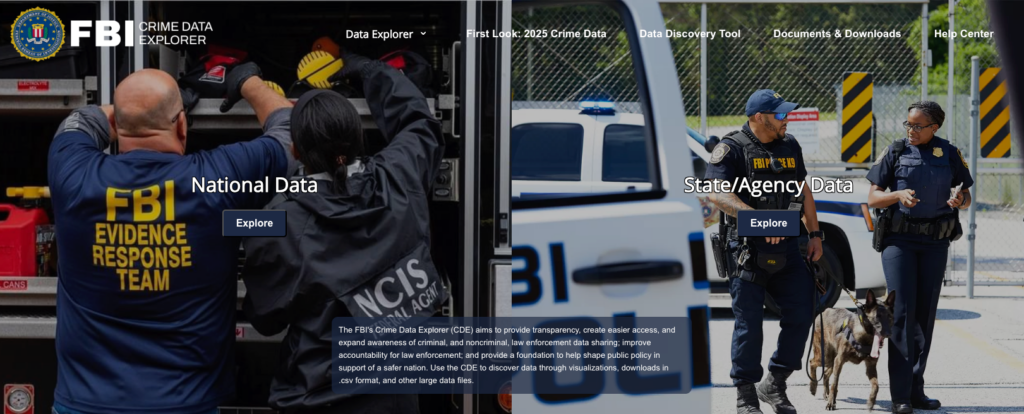
FBI Crime Data Explorer
The FBI’s Crime Data Explorer is the easiest way to access NIBRS data. It’s good for quick lookups by agency, offense and year, but it doesn’t provide incident-level access and you can’t filter or download raw records. The site has three main sections accessible from the top menu: Data Explorer, Data & Discovery Tool, and Documents & Downloads.
Data Explorer
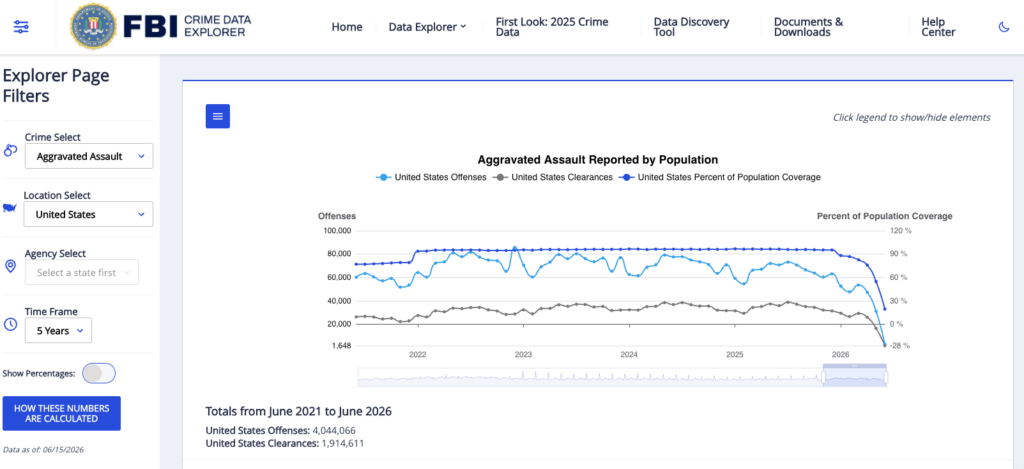
Search NIBRS data by offense, agency, location and time frame, then export results as a CSV from the menu in the top left.
- Crime — The main search tool. Look up offense counts by crime type, agency, location and time frame. Results include offenses over time, victim demographics and offense characteristics.
- Hate Crimes — Search hate crime incidents by bias type, location, agency and time frame. Be aware – hate crime reporting is voluntary and considered to be significantly underreported.
- Expanded Homicide — Goes deeper than the standard crime search for murders and nonnegligent manslaughter. Includes victim-offender relationship, weapon type and circumstance data that doesn’t appear in standard offense counts. Useful for homicide stories.
- Expanded Property — Supplemental detail on property offenses, including location, property type, damage and value.
- Arrests — Search arrest records by offense category, location, time period and agency.
- Special Reports — FBI reports drawn from NIBRS data, including Officers Killed in the Line of Duty, Domestic Relationships and Violent Crimes, Teen Relationship Violence and more.
- Law Enforcement — Data on officer-to-population ratios, officers killed and assaulted, use of force and suicide. Useful for staffing comparisons across agencies.
Data discovery tool
Create custom queries to find exactly what you are looking for. Select data range, crimes, location and agency to create a custom query.
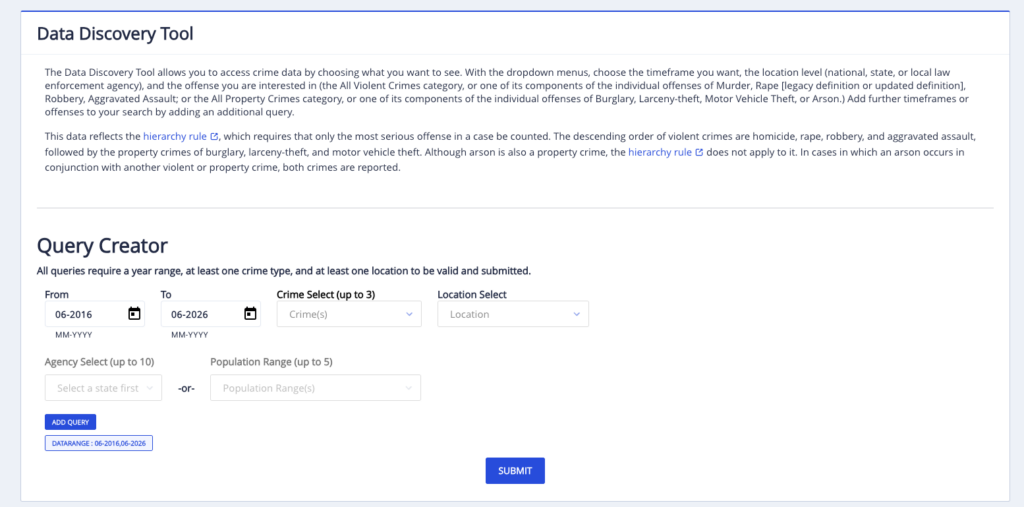
Example:
- Query all property crimes in Arizona in cities of 100,000 people or over from 2016 to 2026.
- Query all violent crimes reported by the San Francisco Police Department during the COVID-19 pandemic (2020 – 2022).
Documents and downloads
The FBI provides some data sets for download. This includes FBI Crime in the United States Annual Reports and Hate Crime Statistics Annual Reports.
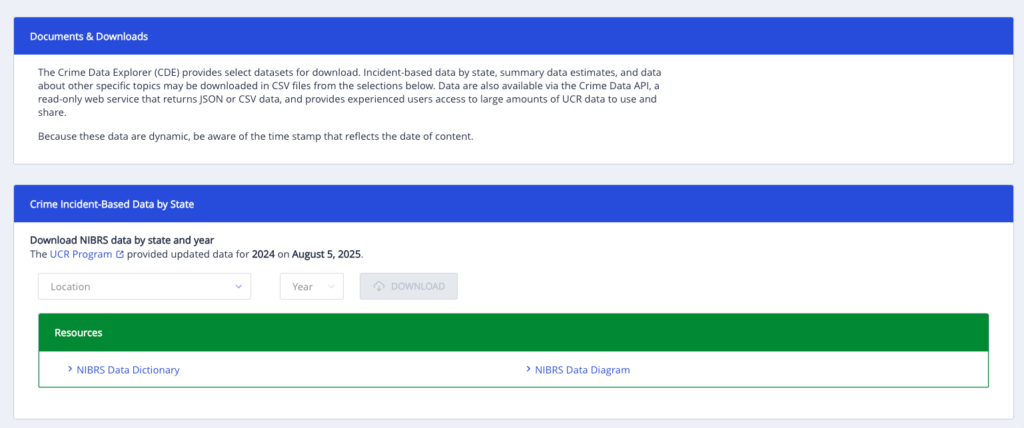
The Crime Incident-Based Data by State section allows users to download all available data for a state for a specific year, which can be very useful if you are able to do basic data joins and analysis. It also includes access to the most recent version of the raw NIBRS master files. While it is possible to work with these files, it is much easier to access this data using the ICPSR master files or Jacob Kaplan files, discussed below.
FBI Crime Data API
The FBI Crime Data API allows you to pull FBI crime data programmatically. It’s free to use but requires an API key, which you can request through api.data.gov. The API gives you access to aggregate statistics like offense counts by agency and year, arrest data and some demographic breakdowns. It’s useful for building data sets across many jurisdictions without manually downloading large files. Its main limitation is it returns aggregated data, not raw incident-level records. If you need individual incidents, you’ll need the master files (see section below).
ICPSR Master files
To access complete NIBRS data, including incident-level data, you must download the NIBRS master files. The master files include every reported crime by participating agency in detail, including offense type, location, time demographics, arrests and more. The master files are available via the ICPSR NIBRS series. This data, while containing a plethora of useful data for journalists, is huge and can be difficult to work with.
Access is free but requires registration. The data is archived as 13 separate files, one for each segment type, and need to be joined to be particularly useful. This can be a technical hurdle: if you’re not comfortable joining large files in R, Python or Stata, start with Jacob Kaplan’s precleaned versions instead (see below).
ICPSR also hosts a NIBRS Resource Guide, which covers concepts, data structure and how to use the files.
Jacob Kaplan files
As discussed above, the raw NIBRS master files are hard to work with. Each year is a separate file, formats vary across years and the segment structure requires significant cleaning before you can do any analysis.
Princeton researcher Jacob Kaplan has done much of that work for you. His Concatenated Files: NIBRS Data, 1991–2024 compiles all years into consistent, analysis-ready files organized by segment. They’re available in R, Stata and Parquet formats. For journalists with some data experience, this is the fastest way to get up and running with NIBRS.
The files are large and you’ll still need to understand the segment structure — but compared to starting from scratch with the raw FBI files, Kaplan’s versions save significant time and reduce the risk of cleaning errors. Kaplan has also written a great guide to Decoding FBI Crime Data.
- Track clearance rates and arrest rates for law enforcement agencies, aggregate by specific crimes. Compare these findings across agencies.
- Analyze year-over-year crime trends (with the caveats noted above).
- Analyze data about offense types, victim demographics and arrests by agency.
- Identify victim-offender relationships in homicides and assaults (stranger vs. intimate partner vs. acquaintance).
- Track data about hate crimes, including offense type, victim demographics and bias motivation.
- Analyze time and place patterns for crime, including hour of day, location type and more.
- Track weapon use trends by offense and jurisdiction.
- Analyze demographic disparities in victim and arrestee data, examining race/sex/age breakdowns by offense.